
2.9×
faster overall
723s with Appium MCP → 249s with Visor
Visor discovers an iOS or Android app, learns its screens and routes, then gives agents fast, reliable control without starting from scratch on every action.
Works with iOS and Android
Across four live mobile flows, Visor's map-driven execution cut total navigation time by 66%. All four route plans replayed on the first try without rediscovery.
2.9×
723s with Appium MCP → 249s with Visor
5.7×
183s with Appium MCP → 32s with Visor
31%
168k with Appium MCP → 116k with Visor
The shallow one-tap deposit flow was effectively tied. Both approaches returned the same answer on the deepest lookup and reached the same app-state block on the blocked investment flow—the gains came from faster navigation, not skipped work.
A first run learns screen nodes and confirmed edges. Repeated flows can target a known destination, reuse the route, and verify arrival—with fewer discovery steps and fewer agent round trips.
App map / checkout flow
Discovering screens and recording safe edges
Without memory
Raw Appium/MCP can inspect and control the device. The agent still coordinates discovery again as it moves between screens.
With app memory
The first run teaches the map. Later runs reuse confirmed routes and live destination checks.
The head-to-head benchmark showed the largest gains on deeper paths, where route reuse avoids repeated discovery.
Semantic actions and learned navigation give the agent hands. Screenshots, UI source, destination checks, and structured results give it eyes.
Semantic control
Target meaning, not brittle coordinates.
Learned navigation
Reach known screens through verified routes.
Live evidence
Capture what the user actually sees.
visor discover --app-id com.example.app --crawlvisor tap --target accessibility=Continuevisor act --name type --target accessibility=Search --value shoesvisor wait --for "text=Results" --timeout 8000visor navigate --to myapp://checkoutvisor screenshot --label checkout --output artifactsvisor run scenarios/checkout-smoke.json --output artifacts-testUI-source observation is also available with visor source --label checkout --output artifacts.
Condensed structured result
status: ok{
"status": "ok",
"artifacts": [
"artifacts/checkout.png"
],
"data": {
"run": {
"status": "ok",
"map": {
"enabled": true,
"used": true
},
"assertions": [{
"target": "text=Checkout",
"status": "passed"
}]
}
}
}Destination contract verified
Representative output uses the current Visor response model: run status, map usage, assertions, and artifact paths.
Tap semantic targets, type into fields, navigate, scroll, wait, and control real iOS or Android screens.
Capture screenshots and UI source from the running app so the agent works from observed state, not code intent.
Keep learned screen variants, semantic targets, confirmed edges, and destination contracts in a reusable app map.
Check destinations and assertions, then write structured results, screenshots, source, and reports for review.
Appium remains the device-driver foundation. Visor adds the agent-oriented layer that discovers application structure, remembers routes, verifies destinations, and returns evidence an agent can act on.
Foundation
Agent layer
“Playwright-like” describes the mental model: direct, reliable automation for an agent. Appium still owns device-level execution.
Navigation, debugging, smoke verification, review evidence, and UI accuracy all benefit from an agent that can operate the running app.
Inspect the screen and UI source users actually encounter, then act on the evidence.
Navigate familiar paths without coordinating fresh discovery at every screen.
Execute ordered interactions and verify visible destinations and assertions.
Keep structured results, screenshots, source dumps, timelines, and reports.
Compare a running UI with its design target and reduce visual drift over successive passes.
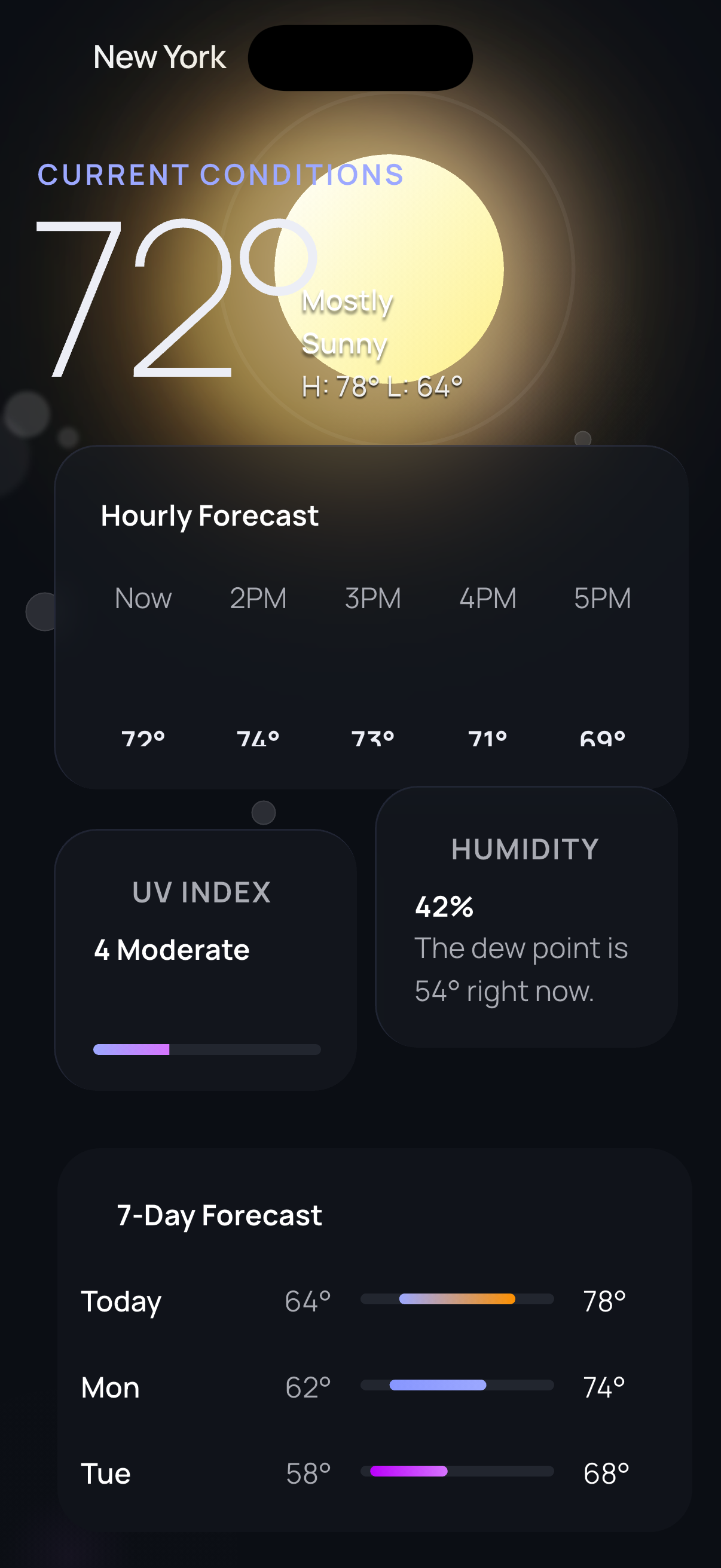
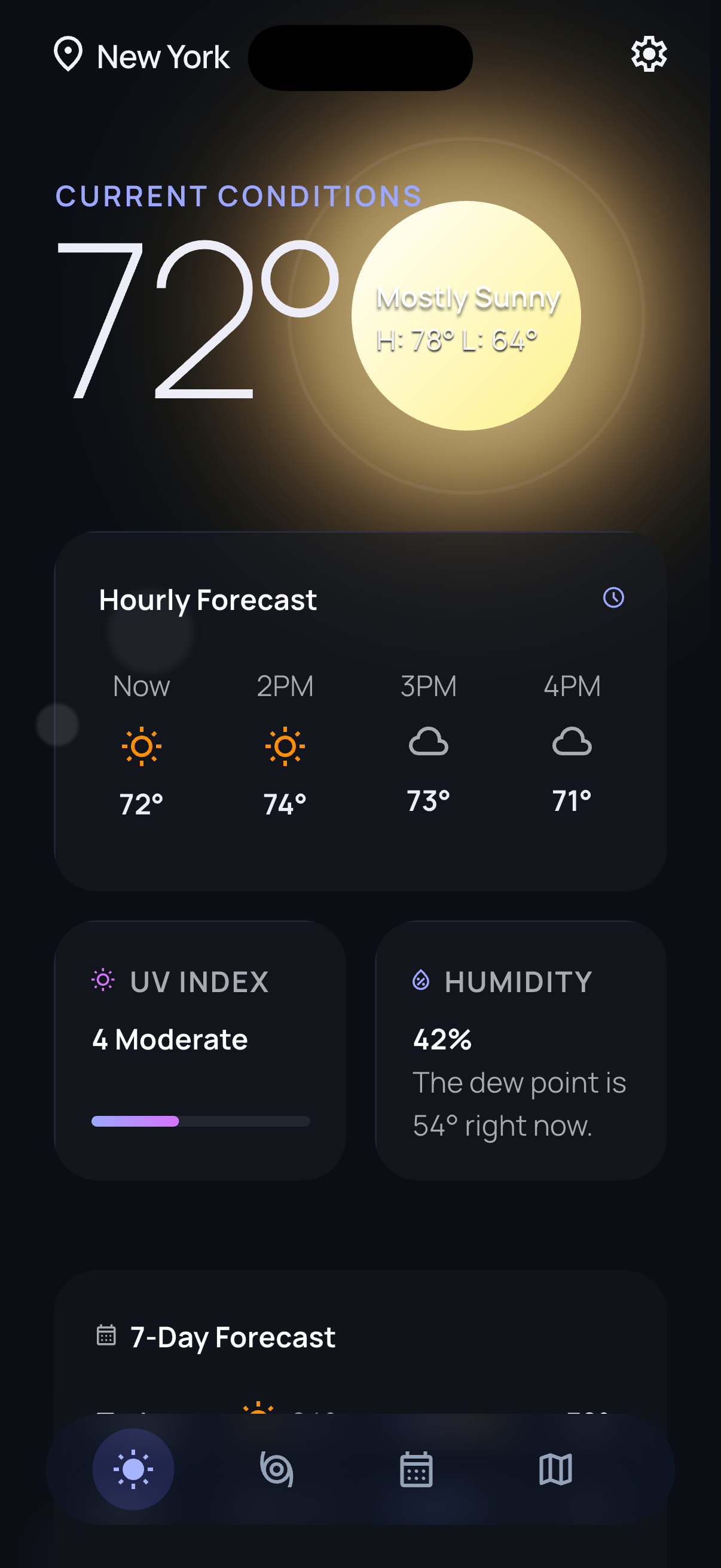
Keep the design target beside the live app, spot missing icons, clipped content, and spacing drift, then reduce manual verification passes with fresh evidence after each change.
Review the gap between the intended Figma screen, an initial implementation, and a result refined with live Visor evidence.
The design contract the agent has to satisfy, including layout, icons, spacing, and content hierarchy.
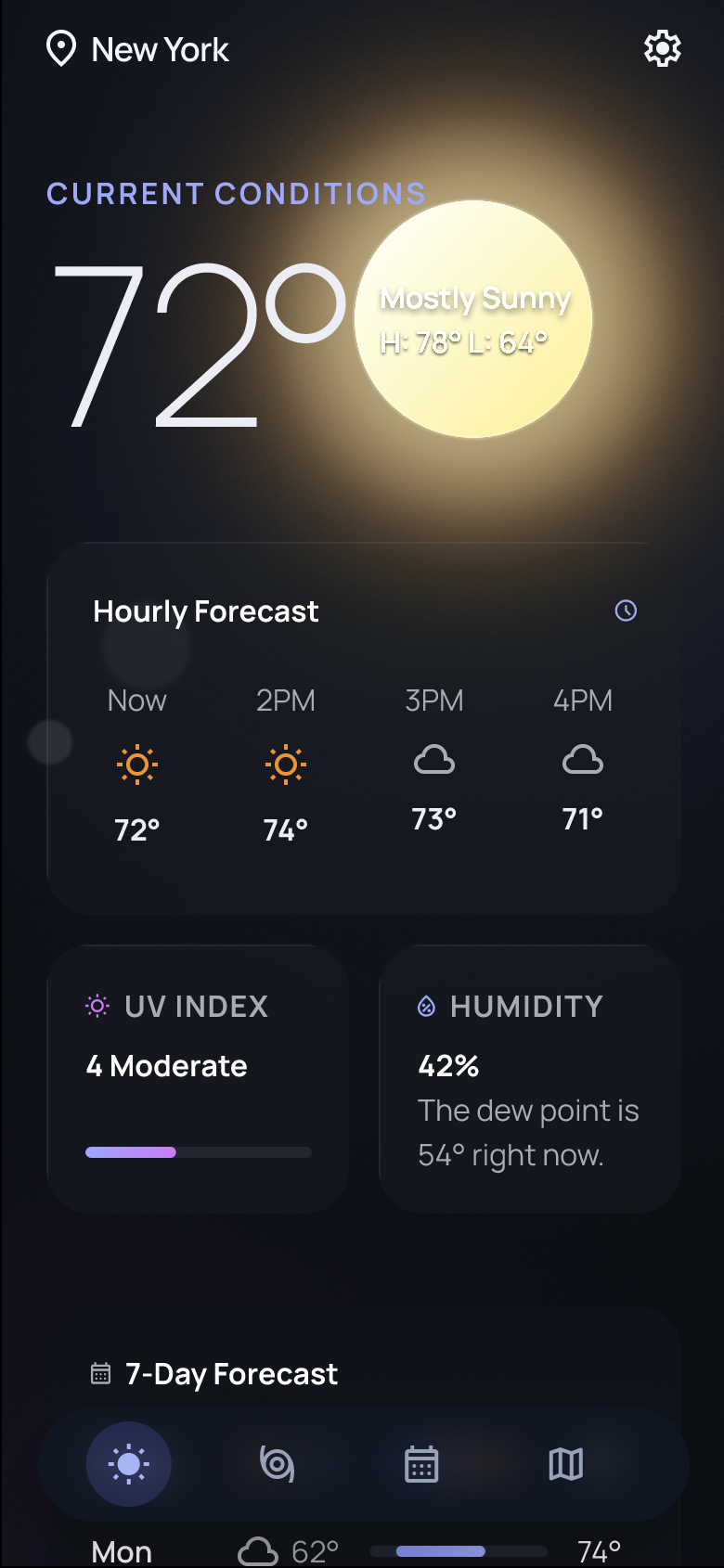
Without live app feedback, the agent missed icons, clipped content, and shipped layout drift.
With Visor in the loop, the agent can inspect live evidence, patch drift, and rerun while keeping each result reviewable.
Connect a running iOS or Android app, teach Visor the route, and give your agent reliable control with evidence at every step.
npm install -g visor-ai